
All your social.
One intelligent system.
Plan, create and follow up paid and organic social from the assistant you already use. HeyMySocial holds your brand, your campaigns and your leads in one place, and shows which posts and campaigns led to sales.
No card needed. A demo workspace with sample data is offered when you set up your account.
Three posts are drafted from your approved facts. They wait for you here: review link
499 kr.
Winter is hard on a bike. Our spring service covers gears, brakes and a full clean, done while you are at work.
Tuesday 09:00, Europe/Copenhagen
The cheap lead is often the expensive one
Ad platforms report cost per lead. Your business runs on sales. HeyMySocial follows each lead to its outcome and shows what a campaign cost per sale.
The numbers in this example are an illustration, not anyone's results.
- Spend
- DKK 10,000
- Leads
- 200
- Cost per lead
- DKK 50
- Sales
- 2
- Spend
- DKK 10,000
- Leads
- 50
- Cost per lead
- DKK 200
- Sales
- 10
One loop instead of six tools
Each round starts from what the last one proved. The loop in detail.
-
1
Understand
Brand Brain holds your approved facts, voice and offers. The research library keeps what you and your assistant note about competitors and creators, with the source and date on every observation.
-
2
Plan
Turn a goal into a strategy: who it is for, what you say at each stage of the funnel, and which hypothesis you are testing.
-
3
Create
Draft post variants in your voice, build the graphic in four formats, and check every claim against your own facts before anyone sees it.
-
4
Run
Approve posts and plan them on the calendar. Import paid results from Ads Manager. Direct publishing to Facebook and Instagram is waiting for Meta; until then the schedule sends to the practice channel, and a real post is posted by hand and marked as published.
-
5
Prove
Tracked links and a small website script tie visits to leads. Sales update each lead until it is won or lost.
-
6
Learn
Results come back as next actions with their evidence attached: what to repeat, what to test, what to stop.
Bring the AI you already use
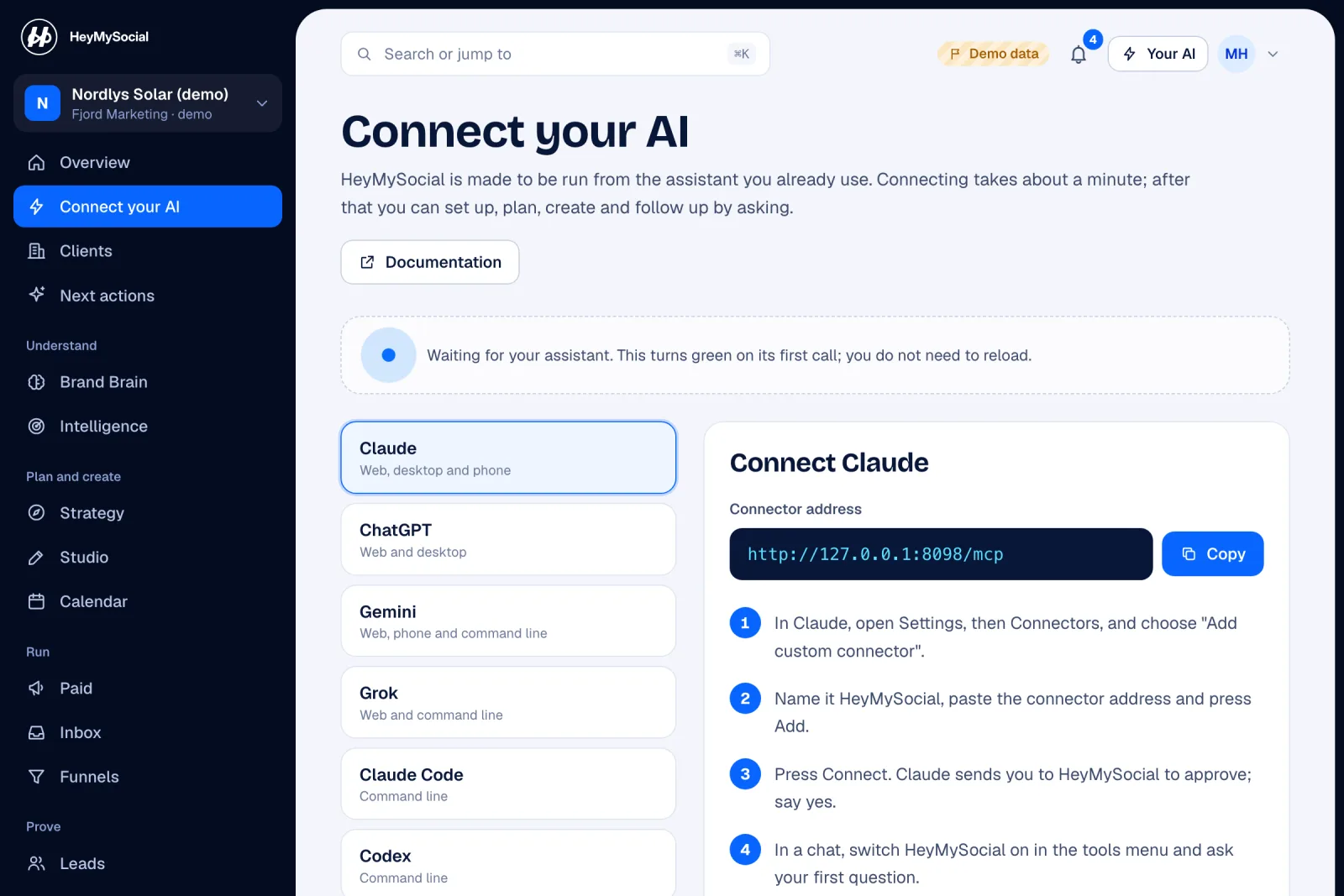
HeyMySocial runs no AI model of its own. You connect Claude, ChatGPT, Grok or Gemini with one address, and it works inside your workspace with your permissions: it reads your brand and your results, builds campaigns, writes drafts and makes the graphics.
Connecting takes about a minute, and the screen turns green on the assistant's first call.
- 126 tools cover the whole job, from setting up the workspace to reading last month's results.
- A built-in playbook tells the assistant how to work, so you do not have to.
- It can ask for approval. Only a person can give it.
Nothing leaves without a person.
An assistant can plan, draft and ask. Publishing, sending and budget changes wait for an approval a person gives in the app, for that exact text, picture, channel and time. Edit the post afterwards and the approval is gone.
Every suggestion shows what it is based on
A competitor running an ad for three months is a signal, not proof. HeyMySocial keeps three kinds of evidence apart and never dresses one up as another.
Seen in public or authorized sources. It shows what others publish, not whether it works for them.
Measured in this workspace: engagement, clicks or lead outcomes.
Backed by recorded sales in this workspace.
Built for agencies with many clients
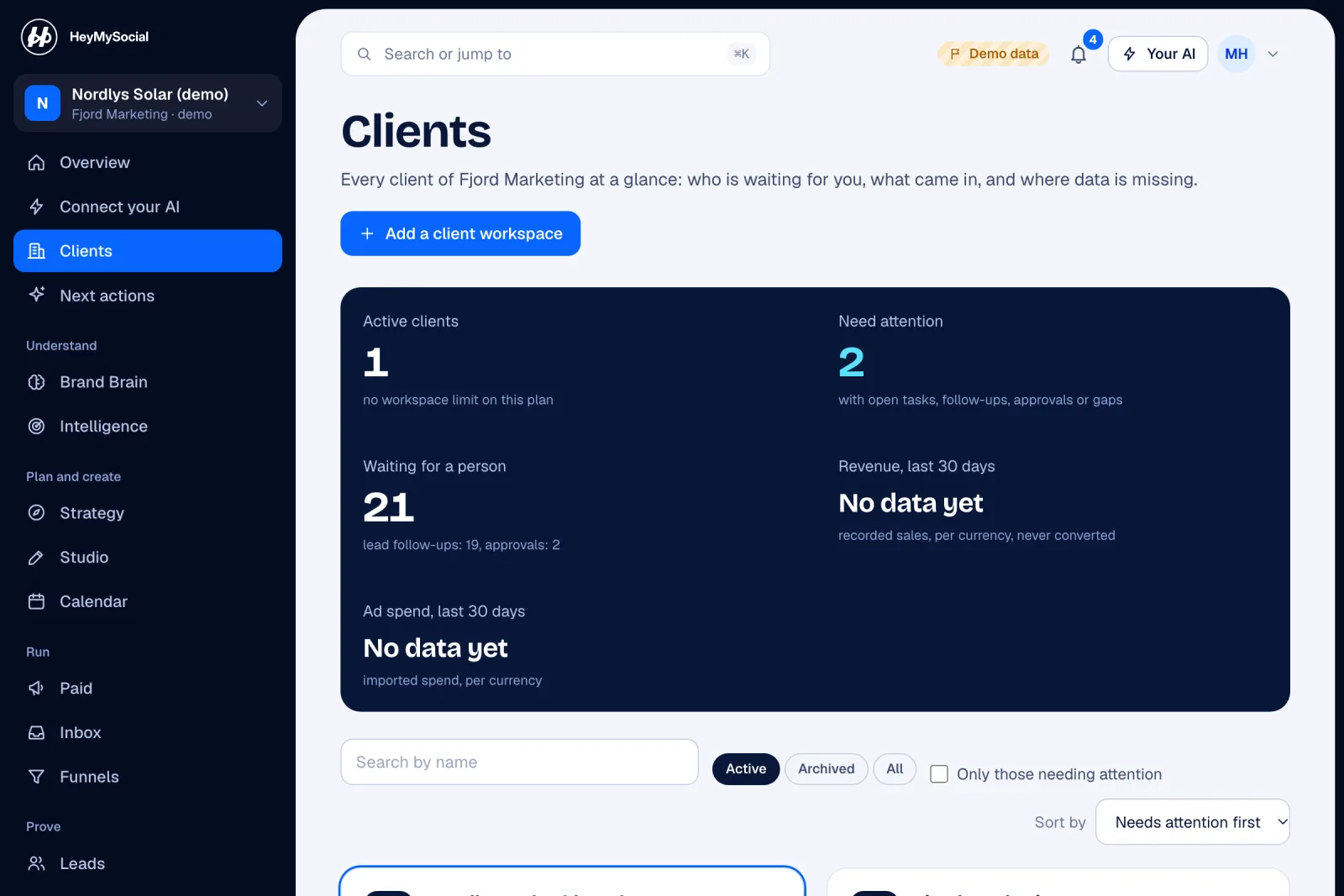
Each client gets a workspace of its own. You see all of them at once; they see only theirs.
- One isolated workspace per client. Data never crosses between them.
- Clients approve posts and update lead status in a small portal, without seeing your notes. One lead's status can also be reported from a link, without a login.
- A portfolio view of spend, outcomes, open follow-ups and missing data across clients.
What works today
We would rather tell you now than after you sign up. Every connection and its state.
Pricing
A trial costs nothing and asks for no card. Compare every limit.
Solo
- 1 workspace
- 1 seat
- 40 scheduled posts a month
- 10,000 tracked events a month
- 1,000 assistant calls a month
- Research library: read only
Business
- 1 workspace
- 5 seats
- 150 scheduled posts a month
- 50,000 tracked events a month
- 5,000 assistant calls a month
- Research library: read only
Growth
- 5 workspaces
- 15 seats
- 600 scheduled posts a month
- 250,000 tracked events a month
- 20,000 assistant calls a month
- 60 watched sources
Agency
- 15 workspaces
- 30 seats
- 2,000 scheduled posts a month
- 1,000,000 tracked events a month
- 60,000 assistant calls a month
- 200 watched sources
Pilot prices; they may change before general release. Paid plans are not open yet: every account starts with a free trial and keeps working afterwards within the Solo limits.
Asked first
Does HeyMySocial use AI?
Can my assistant publish or spend money?
Can I post to Facebook and Instagram from it?
What happens when the trial ends?
Start the loop this week
Create an account, connect your assistant, and ask it to set up your workspace with you.